
Bulk License Reporters and Seat Managers can view student progress and grades from the administrator dashboard in the Start ASL learning platform.
Important: Who This Article Applies To
This article applies only to approved Bulk License Reporters and Seat Managers who have been given access to a Start ASL group administrator dashboard. If you do not have access to the Group Leader dashboard, your account may not have reporter or seat manager permissions.
How to Access Student Progress
Log in to the new Start ASL learning platform:
https://login.startasl.comGo to your administrator dashboard:
Top Menu > My Account > Group LeadersClick View user progress. (Note: Seat managers of large groups may have a Gradebook option, which can be clicked and used instead.)
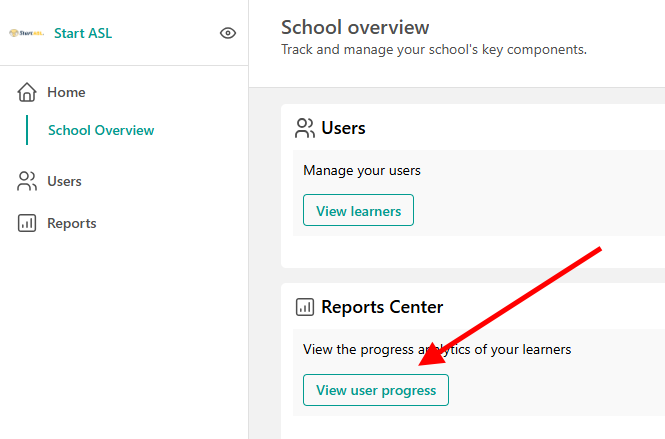
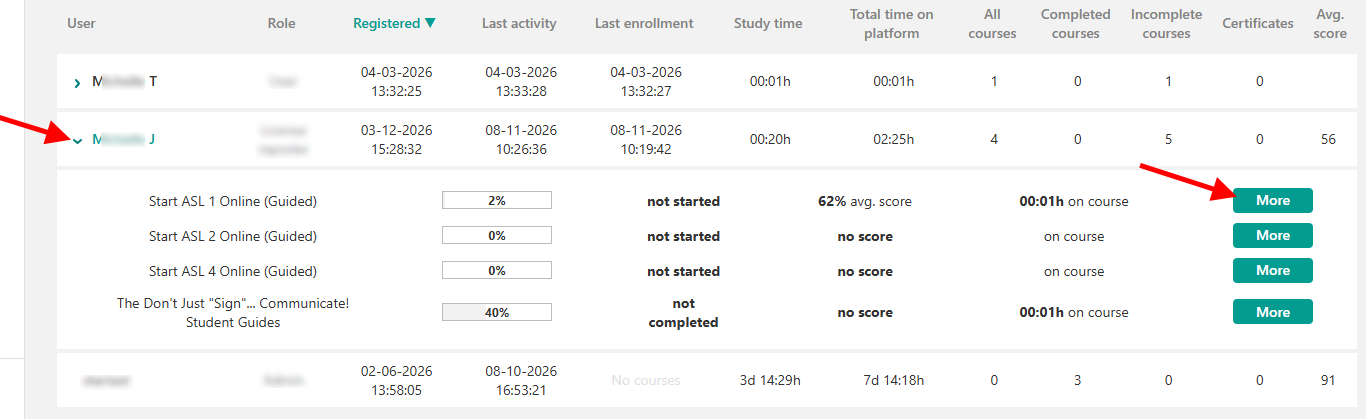
4. Expand the student details to view each student’s overall course progress and average grade.
5. Click More to open the student’s course details.
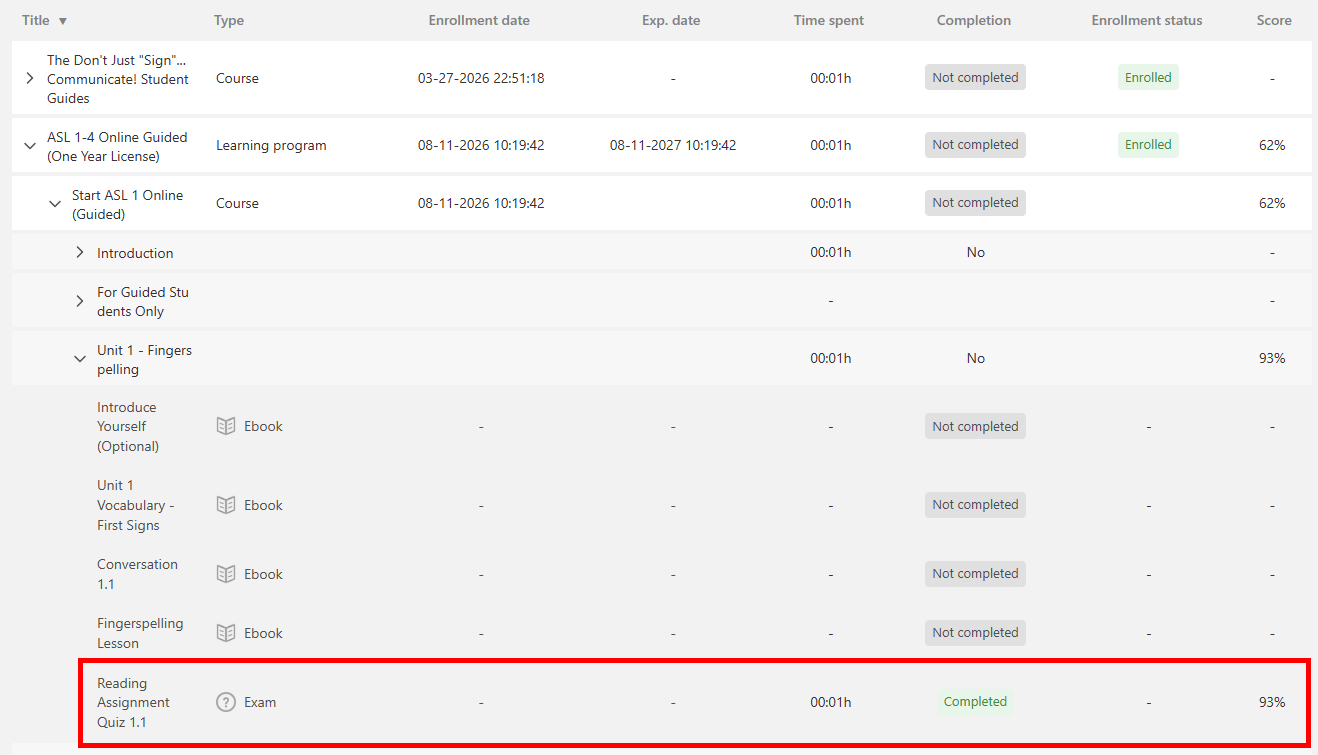
6. Expand the courses and units to view individual assignment and quiz completion progress.
What You Can View
Depending on your group setup and student enrollment type, you may be able to view:
Overall course progress
Average course grade
Course-level progress
Unit-level progress
Assignment completion
Quiz completion
Important Notes
Grades and progress are tied to each student’s individual course activity. If a student has not started a course, completed an assignment, or submitted required work, their progress or grade information may appear incomplete.
If you do not see the Group Leaders area or cannot access student progress, your account may not have the correct reporter or seat manager permissions. If you have a large group of 25+ online course students, please contact Start ASL support to request large group privileges to be able to view your student progress.